How to Implement Hotel Schema Markup for AI Search Visibility
Short answer: implement JSON-LD hotel schema on the pages that matter, validate it, and maintain it.
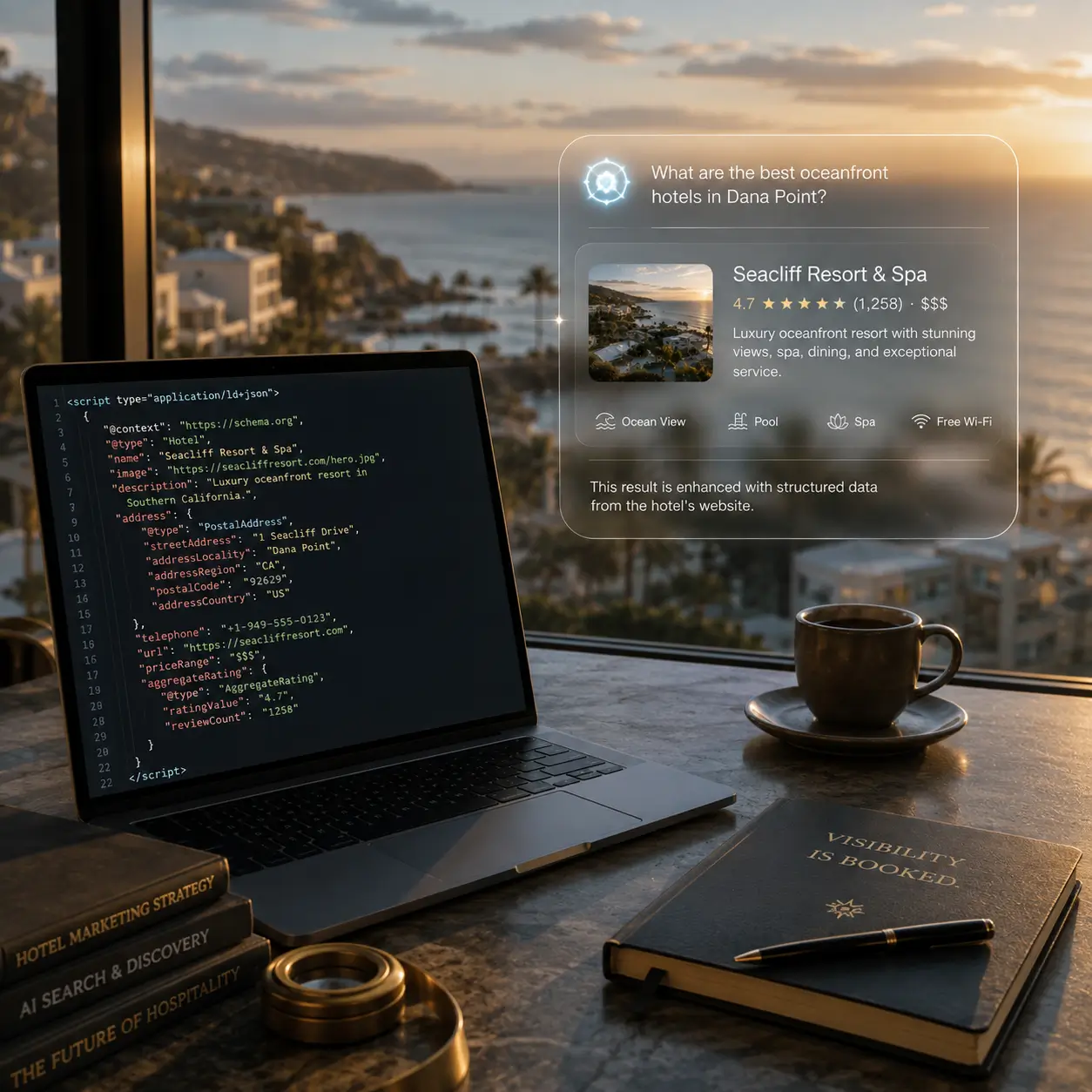
Use Hotel, HotelRoom, Offer, Review, AggregateRating, and FAQPage where appropriate. Then test with Google’s Rich Results Test and the Schema Markup Validator, and keep your price markup aligned with Google Hotels for trustability.
Why this matters now: AI systems cite a minority of answers directly from hotel sites, so they lean on structured data to verify details. Accurate schema helps your brand be the cited source, not just mentioned. Rich results lifts clicks significantly, and correct price markup supports Google Hotels trustability. This guide walks you through the exact steps, tools, and checks to deploy reliable hotel schema and improve AI and search visibility.
Key Takeaways
- AI assistants pull roughly 25% of answers directly from hotel sites, so clean schema improves your odds of being cited, not just mentioned Shiji Insights.
- Rich results from LocalBusiness and ratings attracts up to 30% more clicks, increasing qualified traffic to your direct booking path Amplify Creative Lab.
- JSON-LD is the preferred format, easy to add without breaking layouts, and fully supported by Google’s guidelines Google Search Central.
Prerequisites
- Finalized hotel facts: official name, address, phone, check-in and check-out times, price range, and amenities that are visible on-page.
- Access to your CMS or codebase to add JSON-LD scripts.
- Clear booking link structure and, if applicable, eligibility to annotate prices that match Google Hotels rates.
- Time scheduled for validation with Google’s Rich Results Test and Schema Markup Validator Google Search Central, Schema Markup Validator.
Expected Outcomes
- Eligibility for rich results that attracts up to 30% more clicks by showing ratings and key details in SERP snippets Amplify Creative Lab.
- Greater likelihood of being cited in AI answers by clarifying entity details that AI systems struggle to infer from free text Shiji Insights.
- Better alignment with Google Hotels price validation when you nest offers correctly and keep rates consistent on your landing page and in markup Google Hotel Prices Help.
What Is Schema Markup, and Why Do Hotels Need It?
Schema markup is structured data that labels the meaning of your content so search engines and AI can interpret it reliably. Google supports formats like JSON-LD, Microdata, and RDFa to annotate entities such as hotels, rooms, and reviews Google Search Central.
Hotels have complex details, including amenities, prices, availability, and guest sentiment. Schema turns those details into machine-readable facts that power rich results and AI overviews. AI systems cite only a minority of answers directly from hotel sites, around 25%, so strong markup helps them verify your claims against third-party reviews and listings Shiji Insights.
Well-structured listings lifts clicks significantly. Adding LocalBusiness and ratings transforms a plain blue link into a rich snippet that attracts up to 30% more clicks Amplify Creative Lab.
What Types of Schema Markup Should Hotels Use?
Start with Hotel, a subtype of LodgingBusiness and LocalBusiness, which inherits Organization and Place properties. This lets you declare essentials like name, address, telephone, logo, geo, hasMap, openingHours, and priceRange, plus lodging details such as checkinTime, checkoutTime, numberOfRooms, and petsAllowed Schema.org Hotel, Schema.org LodgingBusiness, Schema.org Hotels Guide.
Use HotelRoom for room-level detail, including name, description, bed, occupancy, and amenityFeature Schema.org HotelRoom. Pair rooms with Offer to state price information. Add Review and AggregateRating when you have unique, page-relevant reviews. Implement FAQPage for operational questions to win expandable FAQs and zero-click coverage.
For content beyond booking, Article and HowTo can be useful on blogs and guides. Choose schema types based on the content on each page to give AI the most complete picture.
Schema types at a glance
| Type | Where it fits | Key properties |
|---|---|---|
| Hotel | Homepage, location, contact | name, address, telephone, priceRange, checkinTime, checkoutTime, numberOfRooms, petsAllowed |
| HotelRoom | Room pages | name, description, bed, occupancy, amenityFeature |
| Offer | Room or package detail | priceSpecification.price, priceCurrency |
| Review/AggregateRating | Pages with reviews | reviewBody, reviewRating, ratingValue |
| FAQPage | FAQ hub or section | mainEntity (questions and answers) |
| Article/HowTo | Blog, guides | headline, author, datePublished |
Multi-typed entity tip
Model a sellable room as both a HotelRoom and a Product to express room attributes and commercial context together. This multi-typed entity approach helps AI connect amenities with an offer to book.
How Do You Prepare Your Website for Schema Implementation?
Match markup to visible content. Google warns against adding structured data about information that users cannot see, or using blank pages just to hold markup. Doing so can make your data ineligible for rich results Google Search Central.
Audit your site. Confirm official hotel name, address, contact, check-in and check-out times, price range, and amenities are accurate and consistent across the pages you will mark up. Identify targets like the homepage, room pages, location pages, and FAQs.
Align rates. If you annotate prices, ensure the landing page rate matches the Google rate. Google Hotel Center flags rate disagreements and can reduce trustability if prices do not align Google Hotel Prices Help.
What Are the Steps for Adding Hotel Schema Markup?
- Choose a format. JSON-LD is preferred because it sits in a script tag and stays separate from your visible HTML, which reduces layout risk and eases maintenance. Google reads JSON-LD even when JavaScript injects it Google Search Central.
- Generate your schema. Use Schema.org references, Google’s helper documentation, or CMS plugins that support JSON-LD. Many teams use plugins to cover fundamentals, then add custom JSON-LD for rooms, offers, and FAQs Google Search Central.
- Insert markup. Add a JSON-LD script in the head or body. Keeping it in a script isolates it from your design while exposing rich machine detail like amenities, ratings, and prices Amplify Creative Lab.
- Cover required and recommended properties. For Hotel, include name, address, telephone, priceRange, checkinTime, checkoutTime, numberOfRooms, and petsAllowed where accurate. For HotelRoom, include name, description, bed, occupancy, and amenityFeature. For reviews, add Review and AggregateRating when unique and page-relevant Schema.org Hotel, Schema.org HotelRoom, Schema.org Hotels Guide.
- Add commercial data correctly. For Google Hotels price validation, nest offers with price specification. Include priceSpecification.price and priceCurrency, connected to the hotel or room entity. Keep annotated prices aligned with what users see on the landing page Google Hotel Price Structured Data, Google Hotel Prices Help.
Property checklist for first deployment
- Hotel: name, address, telephone, priceRange, checkinTime, checkoutTime, numberOfRooms, petsAllowed
- HotelRoom: name, description, bed, occupancy, amenityFeature
- Reviews: Review and AggregateRating when present and unique to the page
- Offers: priceSpecification.price and priceCurrency, linked to the relevant room or package
How Can You Validate and Test Your Hotel Schema Markup?
Use two validators. Google’s Rich Results Test checks eligibility for rich results, including Hotels where applicable. The Schema Markup Validator checks overall conformance to Schema.org, flagging syntax errors and missing fields Google Structured Data, Schema Markup Validator.
Follow a repeatable workflow. Paste a URL or code snippet into the Rich Results Test, run the test, and review detected items and warnings. Investigate each Hotel, HotelRoom, Offer, Review, and FAQ entity. Fix errors, retest, and then crawl key pages again after deployment or content updates Google Structured Data.
If you annotate prices, confirm trustability. Google Hotel Center highlights markup disagreements and missing data that can harm eligibility and performance. Keep the annotated rate consistent with the visible rate to protect trust scores Google Hotel Prices Help.
Screen-by-screen testing flow
- Open Rich Results Test, select URL or code input, and run the test.
- Review detected items. Expand Hotels-related results to see errors and warnings per entity.
- Click into each flagged field to read the guidance, then fix the source JSON-LD.
- Re-run the test until critical errors clear, then schedule periodic re-tests after site or template changes Google Structured Data.
What Are the Common Schema Markup Mistakes to Avoid?
Do not mark up content that is not visible to users, and never create empty pages that exist only to hold structured data. Google can make such markup ineligible for rich results Google Search Central.
Avoid conflicting types on the same page and incomplete objects. It is better to implement fewer entities completely and accurately than to spread thin across many with missing fields. Keep review markup page-specific and relevant to avoid misuse. Update schema whenever you change page content, pricing, or policies.
How Does Schema Markup Improve AI Search and SERP Visibility for Hotels?
Structured data builds a clear entity graph that AI systems can understand and trust. That clarity helps AI reconcile your room, amenity, and price claims with guest reviews and third-party listings BrightEdge, Shiji Insights.
Rich snippets stand out with ratings and price ranges, which attracts up to 30% more clicks, steering more traffic to direct booking paths Amplify Creative Lab. Strong structured price data also supports paid and organic visibility within Google Hotels by reducing price mismatches and improving trustability Google Hotel Prices Help.
Better visibility translates to stronger direct booking performance when prospects see accurate pricing and hotel facts at a glance, choosing your site over intermediaries RMS Cloud.
How Does Hooray Agency Approach Hotel Schema Markup Implementation?
We combine rigorous schema implementation with content formats that AI cites. FAQ schema is highly parseable, so we use it to answer operational questions cleanly. Editorial blogs expand discovery coverage and have increased the likelihood of being directly cited by AI fivefold for clients. In short, visibility gets you mentioned. Owned content gets you credited and tells your story the way you want.
Our process includes schema mapping for Hotel, HotelRoom, Offer, Review, AggregateRating, and FAQPage, validation with Google’s tools, and ongoing error monitoring. We pair this with discovery content that AI engines favor, like comparisons and listicles, to build recommendation readiness.
Momentum AiQ measures real AI prompts to track mentions and citations across platforms like Google AI Overviews and ChatGPT. As we like to ask, Is your brand just being mentioned… or actually being cited? Momentum AiQ helps close that gap with a data-backed plan.
Proof points from recent programs
- Blogs increased the likelihood of direct AI citations fivefold.
- Properties with strong FAQs performed best on policy and logistics queries, while blogs expanded discovery coverage.
- Visibility outcomes vary by mix. For example, properties focused on blogs have reached visibility as high as 79.6% in LLM search. Hotels with basic FAQs have reached up to 75.9% visibility, underscoring that structured answers and narrative content work together.
Hotel Schema Markup Implementation Checklist
- Inventory facts: confirm hotel name, address, phone, check-in and check-out times, price range, amenities.
- Pick format: use JSON-LD for clean separation from design and easier maintenance Google Search Central.
- Map entities: Hotel for brand pages, HotelRoom for room detail, Offer for prices, Review and AggregateRating for pages with reviews, FAQPage for operational Q&A Schema.org Hotel, Schema.org HotelRoom.
- Add markup: insert JSON-LD scripts on target pages. If using prices, include priceSpecification.price and priceCurrency under offers Google Hotel Price Structured Data.
- Validate: run Google Rich Results Test and Schema Markup Validator. Fix warnings and errors, then retest Google Structured Data, Schema Markup Validator.
- Monitor: after updates, re-validate. For hotels using Google Hotels, watch Markup trustability to catch price disagreements early Google Hotel Prices Help.
Troubleshooting Tips
- If Hotel is not detected, confirm the JSON-LD script is valid and placed once per page, and that properties match what users can see Google Search Central.
- If prices fail validation, ensure priceSpecification.price and priceCurrency are present, and that the landing page shows the same total price users will pay Google Hotel Price Structured Data, Google Hotel Prices Help.
- If reviews do not appear, add unique, page-relevant reviews and AggregateRating. Avoid site-wide or mismatched review markup.
- If rich results drop after a redesign, rerun the validators and check that the JSON-LD did not get removed or altered by template changes.
Frequently Asked Questions About Hotel Schema Markup
What is the simplest way to add hotel schema for a small website?
Use JSON-LD with a CMS plugin that supports structured data. JSON-LD lives in a script tag, so you can add details without touching your layout Google Search Central.
How often should I update or test my hotel schema?
Test on an ongoing basis, especially after site, price, or amenity changes. Structured data is not a one-off task; it must be kept accurate as standards evolve Google Structured Data.
What happens if schema markup is wrong or incomplete?
Your site can become ineligible for rich results, and misuse like marking up invisible information can trigger penalties. Pricing mismatches lower trustability in Google Hotels Google Search Central, Google Hotel Prices Help.
Does schema markup impact conversion rates directly or just visibility?
It helps both. Clear pricing, reviews, and location cues in SERPs encourage clicks to your direct booking engine. Strong structured price data also supports better performance in hotel listings RMS Cloud.
Conclusion
Schema is a clarity multiplier for hotels. Use JSON-LD to express Hotel, HotelRoom, Offer, and FAQ entities, keep markup aligned with visible content, and validate your work with Google’s tools. This improves eligibility for rich results that attracts up to 30% more clicks, supports Google Hotels trustability, and gives AI systems the confidence to cite your site.
Next steps: audit your key pages, add JSON-LD with the property sets listed above, then validate and monitor after every update. If you want a partner that pairs airtight schema with content AI actually cites, we can help. Our programs use structured FAQs, discovery blogs, and ongoing validation to earn first-party citations and direct bookings. Let’s put your hotel at the center of AI search.